

COLUMN FILER ▸NEWS
News
New versions and development updates.
COLUMN FILER ▸ FEATURES
Deep folders, two places — never lost.
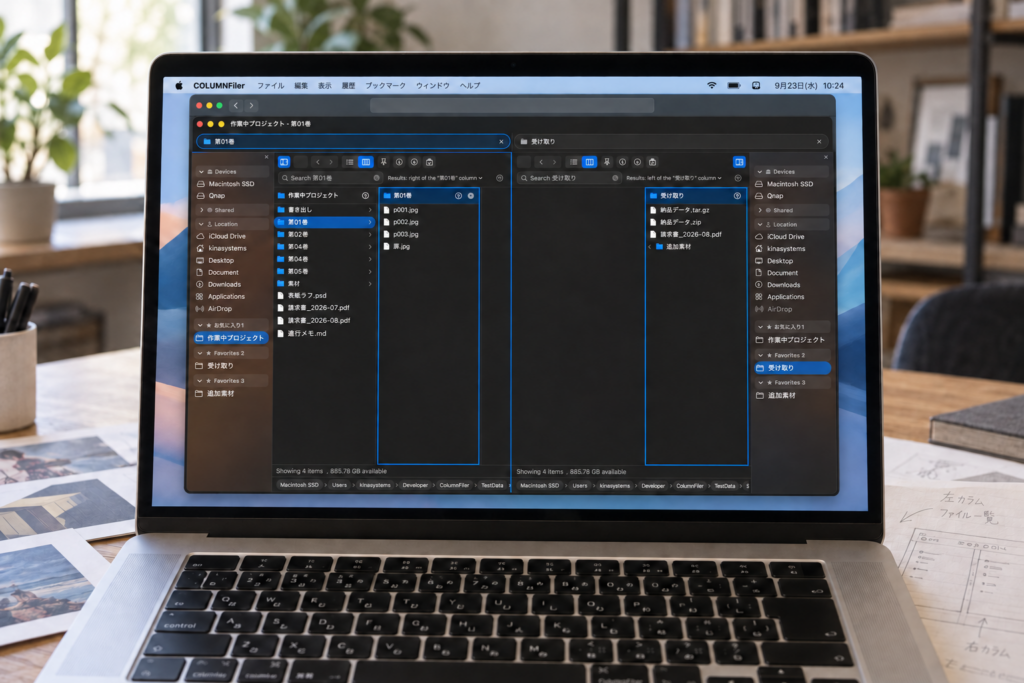
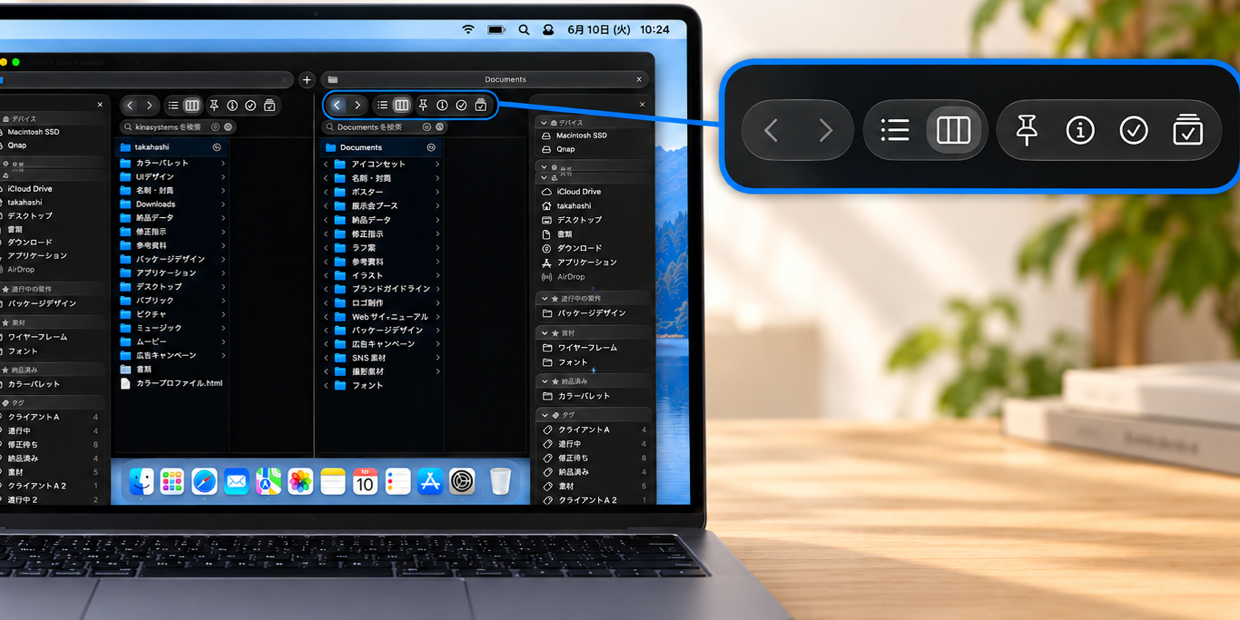
It isn’t trying to replace Finder. It focuses on just two ways of working: column view and organizing across two panes.
01
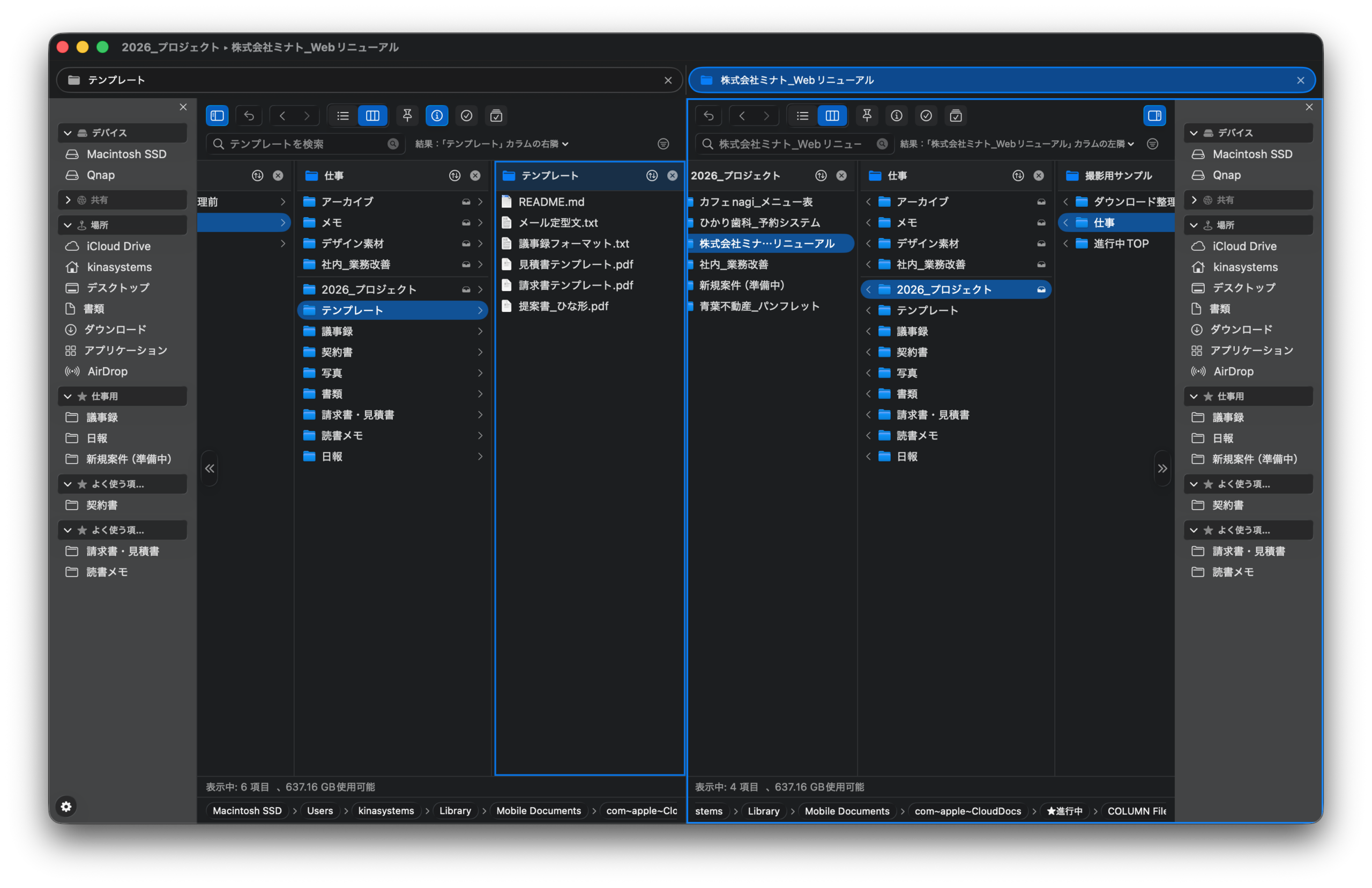
See complex folder trees at a glance with two panes
Folders open column by column to the right. Drag to resize columns; columns with short names narrow automatically.
02
Pin frequent folders at the top with the Column Shelf
Keep the folders you open most often in a column on a shelf at the top, where they’re easy to see and one click away.

03
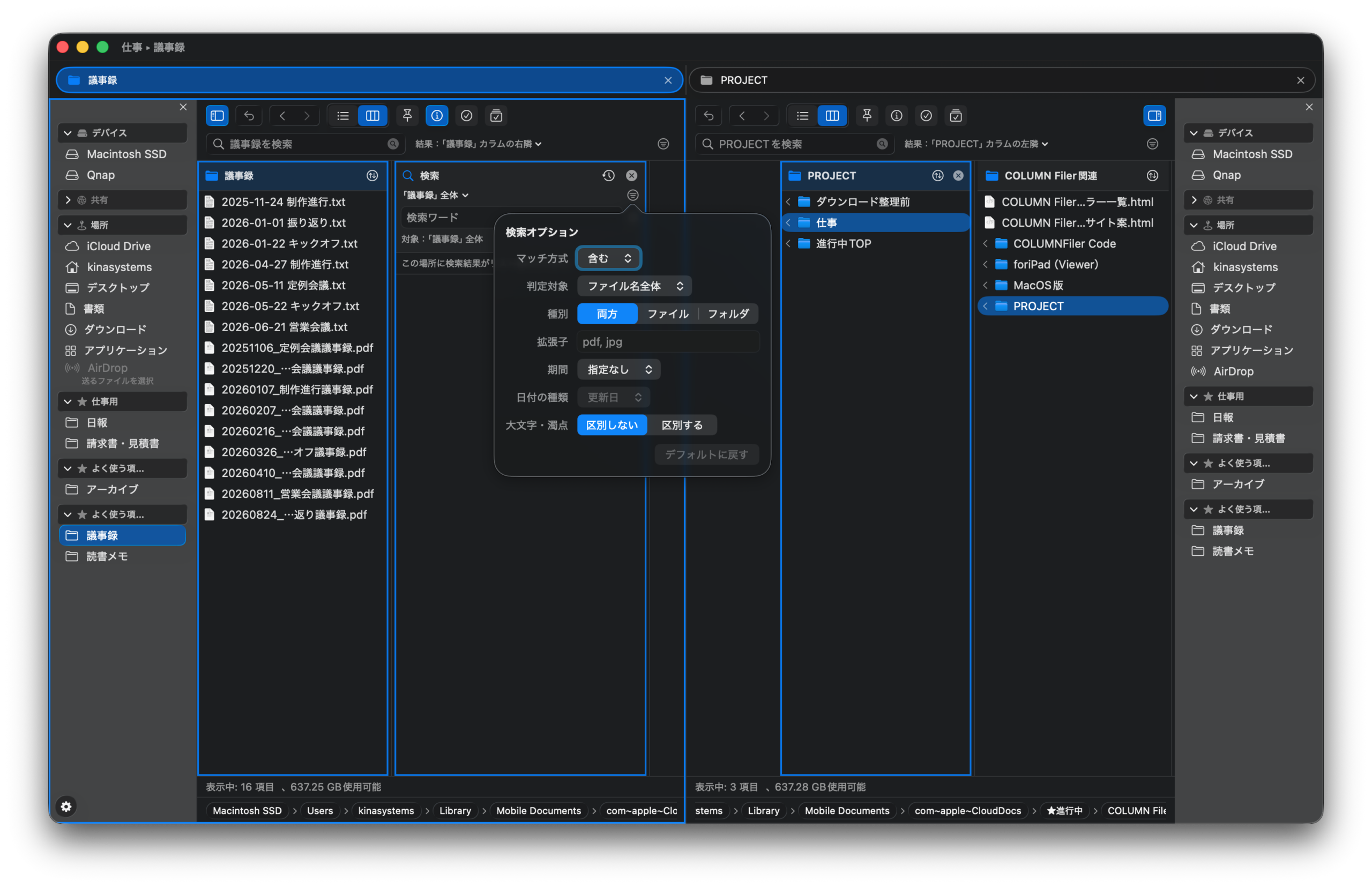
Lost something? Narrow it down and find it.
Search uses the Spotlight index. Filter by match type, kind, extension, and date range, then move or copy results right from the list.
04
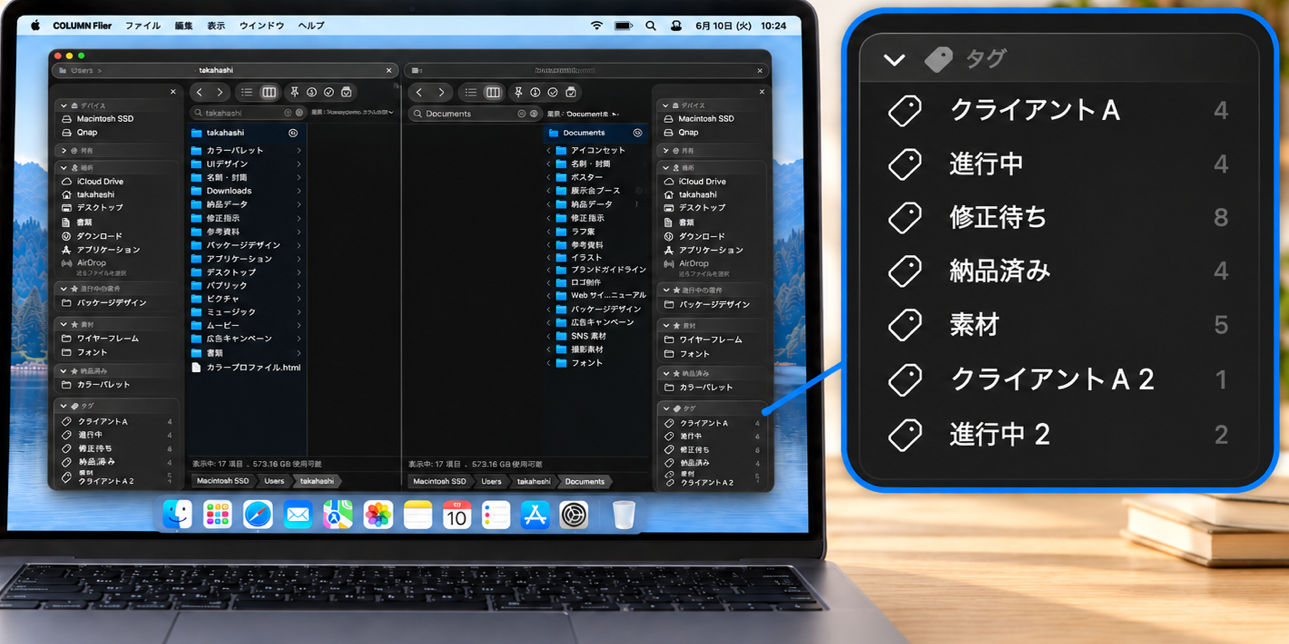
Group folders from different places with tags
Tag related folders wherever they are, then call them up as a list from Tags in the sidebar. Open, copy or move them straight from the list. Tags are kept inside the app and never written to your files.
05
Choose Modern or Classic
Modern brings in the feel of Liquid Glass; Classic keeps the calm look you know. Switch anytime in the Appearance settings.
06
Arrange on your Mac, enjoy on your iPhone
Pick manga covers and video thumbnails on your Mac, then send them to your iPhone as a package for Viewer. They appear on the shelf of the free COLUMN Filer Viewer with the covers you chose.
Exporting packages is available during the trial and in the full version.

COLUMN FILER ▸ SAFETY
Notice before you delete.
For an app that handles files, we think not deleting things by mistake matters more than speed.
- Protecting your data ❶
-
Deleting always asks first. Deleting immediately can’t run until you tick a checkbox — every time, with no exceptions.
- Protecting your data ❷
-
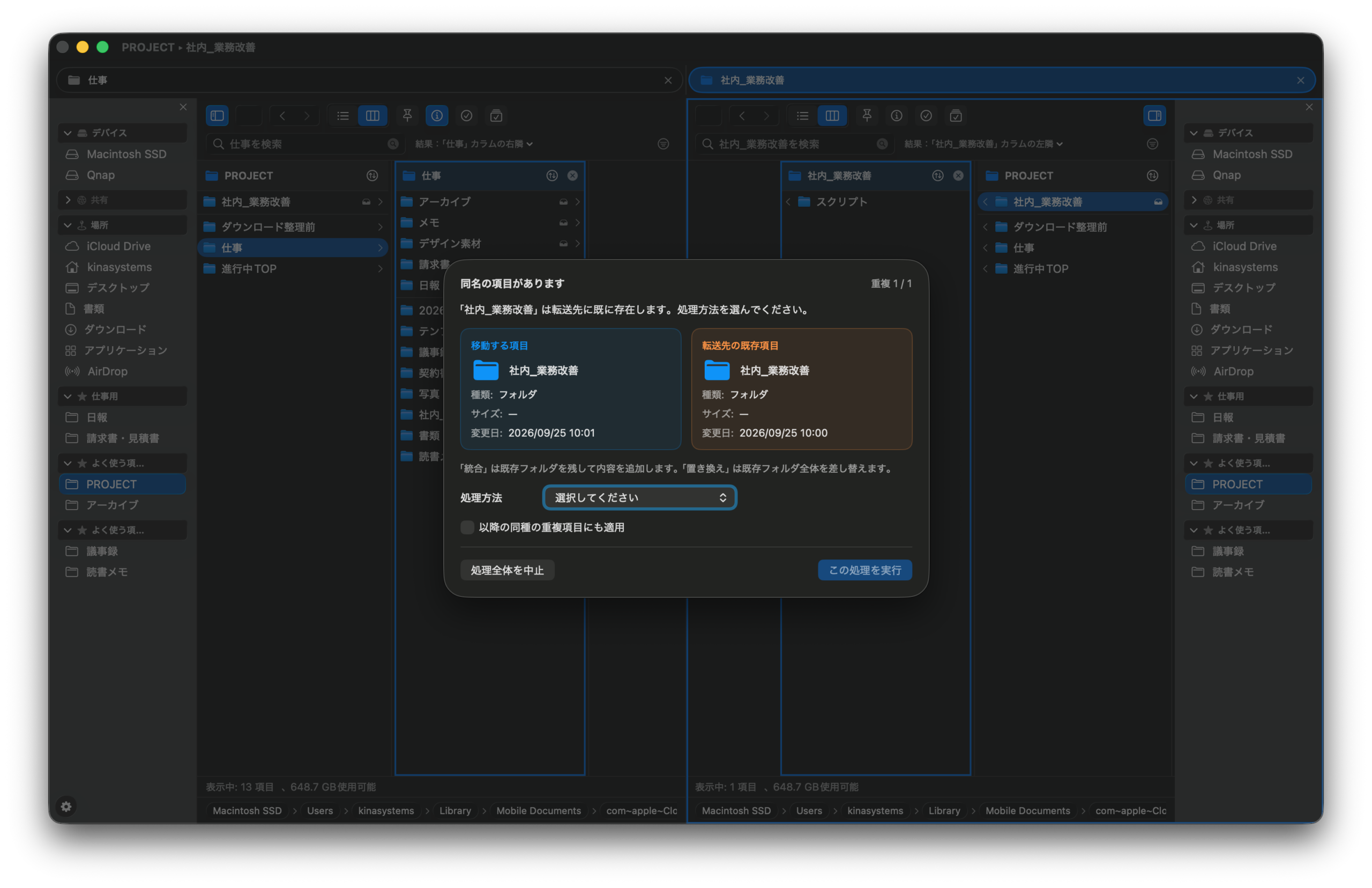
When an item with the same name exists, nothing is overwritten automatically. You choose Keep Both, Skip, Replace, or Merge.
- Protecting your data ❸
-
When a move involves copying, such as to another drive, the original isn’t removed until the copy is complete.
- Protecting your data ❹
-
Moves within the same volume and renames can usually be undone afterward.
COLUMN FILER ▸ PRICING
Try it first. If you like it, buy it once.
It’s not a subscription. Judge it critically during the 30-day trial — and you can unlock it before the 30 days are up. Browsing, search, Quick Look and sending with AirDrop stay free, even without a purchase.
Web demo
$0
Always free
- Browsing, column view, two panes
- Search, Quick Look
- Column Shelf
- Moving files, selecting items
30-day trial
$0
Start it inside the app. No auto-renewal. The 30 days begin when you choose, not when you download.
- Copy, move, rename
- Move to Trash, delete immediately
- Batch rename, compress and extract
- Export packages for Viewer
- Same features as Full Unlock
Full Unlock
$19.99
US price as of 2026. Prices vary by country or region — check the App Store for the price where you live.
- Unlocks writing features permanently
- One purchase, no subscription
- Export packages for Viewer
- Use it on all your Macs with the same Apple Account.
COLUMN FILER ▸ DOWNLOAD
Start for free.
No sign-up or login needed. We look forward to your honest review.